
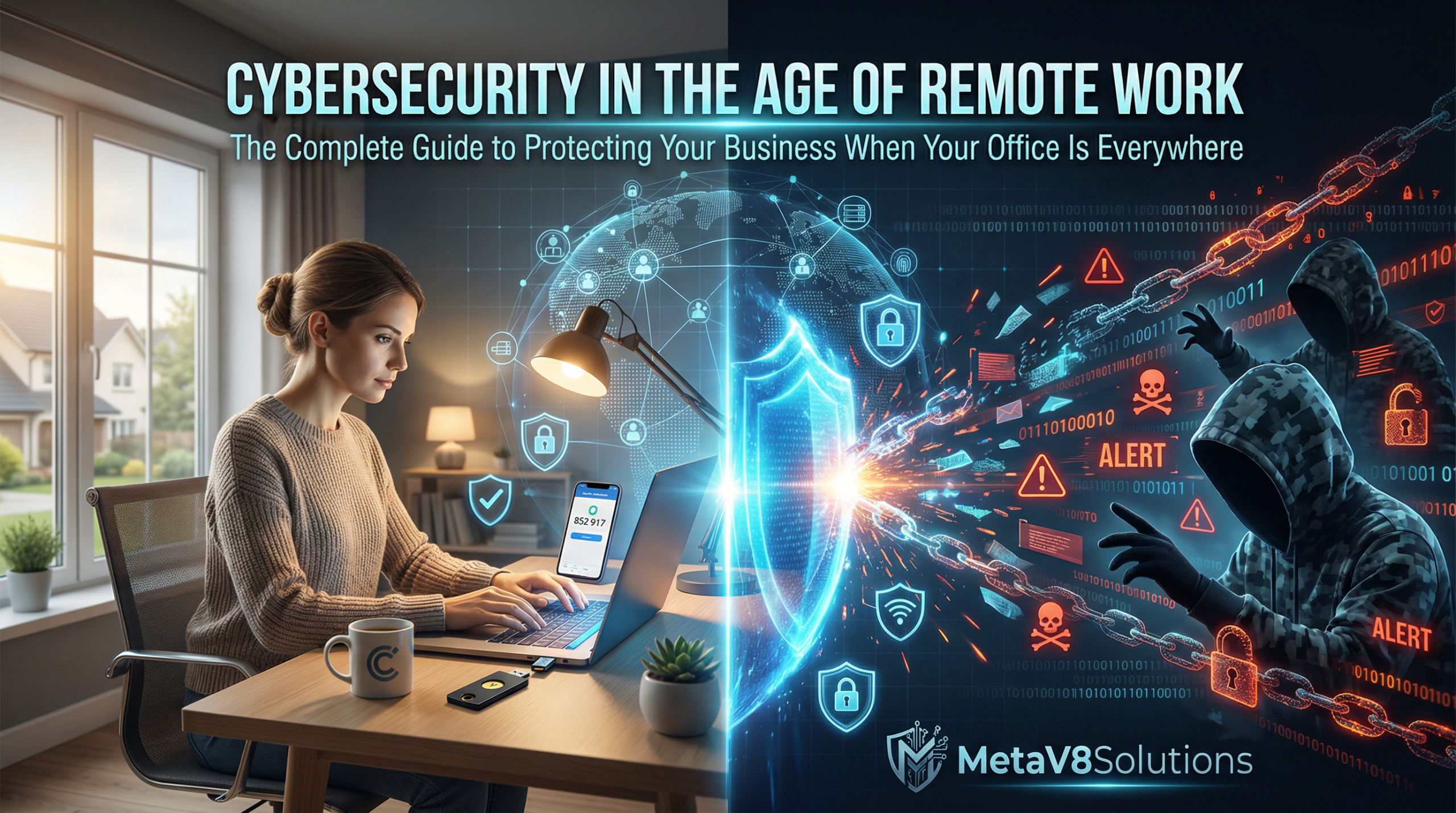
A Comprehensive Guide by MetaV8Solutions
Introduction: The Morning Everything Changed
Picture this. It’s a Tuesday morning, and Sarah, a finance manager at a mid-sized accounting firm, is sitting at her kitchen table in her pajama bottoms and a professional blouse. Her laptop is open, her coffee is hot, and she’s about to join her third video call of the day. Her kids are doing virtual schooling in the next room. Her husband is on his own conference call upstairs. The family dog is barking at the mail carrier.
This scene, which would have seemed absurd just a few years ago, became the new normal for millions of workers practically overnight. And somewhere in this chaos of home offices, kitchen-table workstations, and coffee-shop connections, something else was happening. Something most people didn’t notice until it was too late.
Cybercriminals were watching. Learning. Adapting. And striking.
Sarah didn’t think much of it when she received an email that looked like it came from her company’s IT department, asking her to verify her login credentials due to “system upgrades.” She was distracted, overwhelmed, and just trying to get through another day of this strange new work-from-home reality. She clicked the link. She entered her password.
Within 48 hours, her company’s financial systems were compromised. Client data was stolen. The damage would eventually total in the hundreds of thousands of dollars—not to mention the shattered trust and tarnished reputation that no amount of money could repair.
Sarah’s story isn’t unique. In fact, it’s become terrifyingly common. And it perfectly illustrates why we need to have a serious conversation about cybersecurity in the age of remote work.
Welcome to that conversation.
Chapter 1: The Remote Work Revolution—How We Got Here
The Great Experiment
Let’s be honest with ourselves for a moment. Before 2020, most businesses treated remote work like a nice-to-have perk. Something you might offer to top performers or use as a recruiting tool. “Oh, we have flexible work arrangements,” companies would boast, meaning maybe you could work from home on Fridays if you asked nicely.
Then the world changed. Seemingly overnight, “remote work” went from occasional privilege to absolute necessity. Companies that had resisted remote work for decades suddenly had to figure out how to function with their entire workforce scattered across cities, suburbs, and rural areas.
And here’s the thing—many of them did figure it out. Productivity didn’t collapse like the skeptics predicted. Teams found ways to collaborate. Meetings happened. Projects got completed. In many ways, the great remote work experiment was a success.
But success came with hidden costs. And many of those costs are just now becoming apparent.
The Numbers Tell a Story
Let’s look at some statistics that paint a picture of where we are today.
Before the pandemic, roughly 5-7% of the workforce in developed countries worked remotely on a regular basis. During the height of lockdowns, that number skyrocketed to over 40% in many countries. And even as restrictions eased, remote and hybrid work has settled into a new normal. Current estimates suggest that 25-30% of working days are now spent working from home—a massive shift from pre-pandemic levels.
But here’s where it gets concerning from a cybersecurity perspective.
During this same period, cyberattacks increased by over 300%. Ransomware attacks alone jumped by nearly 150%. Phishing attempts—like the one that caught Sarah—increased by an estimated 600% in the first months of the remote work transition.
These aren’t coincidences. They’re cause and effect.
The Perfect Storm
When we look at what happened from a security standpoint, it’s almost like cybercriminals were handed a gift-wrapped opportunity. Consider the factors that came together:
Rushed transitions. Companies that had planned for years to “eventually” implement remote work suddenly had days or weeks to make it happen. Security considerations that should have taken months of planning were compressed into frantic weekend implementations.
Personal devices. When lockdowns hit, many companies simply didn’t have enough laptops to go around. Employees were told to use their personal computers—devices that IT had never touched, never secured, never monitored.
Home networks. Corporate networks have layers of protection. Firewalls, intrusion detection systems, monitored traffic. Home networks? Most people haven’t changed their router password since the day they set it up. And their network is shared with kids gaming, smart TVs streaming, and who knows what other devices.
Distracted workers. People weren’t just working from home. They were working from home during a global crisis, often while managing childcare, dealing with anxiety, and navigating unprecedented uncertainty. Distracted people make mistakes. And mistakes are exactly what cybercriminals count on.
Overwhelmed IT teams. The very people who should have been focused on security were instead putting out fires. Getting VPNs working. Troubleshooting home internet issues. Supporting hundreds of suddenly remote workers. Security sometimes had to take a back seat just to keep operations running.
This was the perfect storm. And we’re still dealing with the aftermath.
Chapter 2: Understanding the New Threat Landscape
It’s Not Your Father’s Cybercrime
If you still picture cybercriminals as lone hackers in hoodies, typing furiously in dark basements, it’s time to update that image. Modern cybercrime is a sophisticated, well-funded, often state-sponsored industry that generates more money annually than the global drug trade.
We’re talking about organized criminal enterprises with HR departments, customer service teams (yes, really—some ransomware groups have help desks to assist victims with paying ransoms), and research and development budgets that rival legitimate tech companies.
These aren’t amateurs. They’re professionals. And they saw the remote work transition as the biggest opportunity in the history of their industry.
The Evolution of Attack Vectors
Let’s break down the main ways cybercriminals are exploiting the remote work environment.
Phishing 2.0
Phishing isn’t new. But the remote work era has made it devastatingly more effective. Why? Because all those contextual cues we used to rely on are gone.
In an office, if you received a strange email claiming to be from the IT department, you might walk down the hall and ask someone. You might notice that the IT guy was sitting right there and hadn’t sent any emails. You had context.
At home, you’re isolated. You can’t quickly verify things. And the sheer volume of digital communication has exploded—more emails, more Slack messages, more notifications. It’s easier for a malicious message to slip through unnoticed.
Modern phishing attacks have also gotten incredibly sophisticated. We’re seeing personalized attacks that reference specific projects you’re working on, mention colleagues by name, and mimic the exact formatting and tone of legitimate company communications. These aren’t obvious scams with Nigerian princes anymore. They’re carefully crafted deceptions designed by people who study human psychology for a living.
Remote Desktop Protocol (RDP) Attacks
When companies rushed to enable remote access, many turned to RDP—a technology that allows users to connect to their work computers from home. It’s useful, but it’s also like installing a door on your house that opens directly into your most valuable room.
Attackers have been scanning the internet for exposed RDP ports and either brute-forcing their way in or exploiting known vulnerabilities. Once they’re in through RDP, they essentially have the same access as if they were sitting at that computer in your office.
The statistics here are sobering. RDP-based attacks increased by over 700% during the remote work transition. That’s not a typo. Seven hundred percent.
VPN Vulnerabilities
Virtual Private Networks became the backbone of remote work security for many organizations. But here’s the thing about VPNs—they’re not magic. They’re software. And software has vulnerabilities.
During the pandemic, several major VPN providers disclosed serious security flaws. Some companies were slow to patch. Others didn’t even know they had VPNs running outdated software. Attackers exploited these vulnerabilities ruthlessly.
Even worse, VPNs create a false sense of security. Employees think, “I’m on the VPN, so I’m safe.” But a VPN only secures the connection—it doesn’t protect against phishing, malware, or a compromised device. If your laptop is infected and you connect to the corporate network via VPN, you’ve just given that malware a direct tunnel into your company’s systems.
Cloud Misconfigurations
The shift to remote work accelerated the adoption of cloud services. Companies moved to cloud-based storage, cloud-based applications, cloud-based everything. And in their haste, many made critical configuration errors.
We’ve seen countless incidents of sensitive data left exposed because someone didn’t properly configure their cloud storage permissions. Database exposed to the internet with no authentication. Sensitive files accessible to anyone with the link. These aren’t sophisticated attacks—they’re just criminals finding doors that companies accidentally left wide open.
Collaboration Tool Exploits
Zoom. Microsoft Teams. Slack. Google Meet. These tools became essential to remote work, and attackers noticed. “Zoom bombing” became a headline phenomenon early on, but that was just the visible tip of the iceberg.
The real threats were more subtle. Malicious links shared in chat channels. Fake meeting invites designed to steal credentials. Exploitation of vulnerabilities in the tools themselves. Even the practice of sharing screenshots of video calls on social media created risks—attackers could glean meeting IDs, participant names, and other useful information for future targeted attacks.
Chapter 3: The Human Element—Your Biggest Vulnerability and Greatest Asset
Why Training Matters More Than Technology
I’m going to tell you something that might surprise you, especially coming from a technology company. All the security software in the world won’t save you if your people aren’t prepared.
The statistics vary depending on the study, but they all point to the same conclusion: somewhere between 80-95% of successful cyberattacks involve human error. Someone clicked a link they shouldn’t have. Someone used a weak password. Someone shared sensitive information with the wrong person. Someone fell for a social engineering attack.
This isn’t because people are stupid. It’s because people are human. They’re busy, distracted, and trying to do their jobs. Security, for most employees, is an afterthought—something that gets in the way of getting work done.
And that’s exactly what needs to change.
Building a Security-First Culture
Creating a security-conscious culture isn’t about lecturing people or making them afraid. It’s about making security feel like a natural part of how work gets done. Here’s how we’ve seen organizations do this successfully.
Make It Personal
People protect what they care about. If you want employees to take corporate security seriously, help them understand that the same threats targeting the company are also targeting their personal lives.
When you train people on phishing, also teach them how to spot scams targeting their personal email. When you discuss password security, help them secure their personal accounts too. When security becomes personal, people pay attention.
Remove Friction
Every time security measures create friction—every extra step, every additional password, every interrupted workflow—you’re creating temptation for people to find workarounds. And workarounds are often insecure.
Good security design should make the secure path the easy path. Single sign-on instead of multiple passwords. Password managers that auto-fill credentials. Security measures that work quietly in the background rather than constantly interrupting.
Celebrate, Don’t Shame
When someone reports a suspicious email, celebrate it publicly. When someone asks before clicking a questionable link, thank them. Build an environment where security-conscious behavior is recognized and rewarded.
And when someone does make a mistake—because everyone will eventually—treat it as a learning opportunity, not a disciplinary issue. If people are afraid of punishment, they’ll hide their mistakes instead of reporting them. And unreported security incidents are far more dangerous than ones that are quickly identified and addressed.
Regular, Engaging Training
Annual security training isn’t enough anymore. Threats evolve too quickly. But nobody wants to sit through boring, hour-long presentations on cybersecurity.
The most effective security training we’ve seen is short, frequent, and engaging. Five-minute videos. Interactive quizzes. Simulated phishing exercises that test and teach simultaneously. Real-world examples and stories that make the threats feel tangible.
The Psychology of Social Engineering
Understanding why social engineering works is key to defending against it. Let’s look at the psychological principles attackers exploit.
- Authority: People tend to obey requests that appear to come from authority figures. That’s why attackers impersonate CEOs, IT administrators, and government officials.
- Urgency: When something feels urgent, we’re less likely to think critically. “Your account will be suspended in 24 hours unless you verify your credentials.” The urgency is designed to bypass rational thought.
- Fear: Threats activate our fight-or-flight response, which isn’t great for careful, analytical thinking. “Your computer has been infected. Call this number immediately.” Fear makes us act before we think.
- Reciprocity: When someone does something for us, we feel obligated to reciprocate. An attacker might provide “helpful” information before asking for something in return.
- Liking: We’re more likely to comply with requests from people we like or who seem similar to us. That’s why attackers research their targets and personalize their approaches.
- Social proof: We look to others to determine how to behave. “Everyone in your department has already completed this security update” suggests you should too.
Once you understand these principles, you can recognize them in action. And that recognition is the first step in defense.
Chapter 4: Securing the Remote Workspace—A Practical Guide
The Home Office Security Checklist
Let’s get practical. If you’re a remote worker—or you manage remote workers—here’s what needs to happen to secure the home office environment.
Secure the Network
The home router is the gateway to everything. It needs to be secured properly.
Start with the basics. Change the default administrator password on your router. The default passwords are publicly known—literally listed in databases anyone can access. Using the default is like leaving your key under the doormat with a sign saying “key under doormat.”
Enable WPA3 encryption if your router supports it. WPA2 at minimum. If your router only supports WEP or WPA, it’s time for a new router—that hardware is dangerously outdated.
Create a guest network for personal devices and keep work devices on the main network. This segmentation means that if your kid’s gaming console gets compromised, it’s not on the same network as your work laptop.
Update your router’s firmware regularly. Yes, routers need updates too. Many people never update their router firmware, leaving known vulnerabilities unpatched for years.
Secure the Devices
Work devices need to be properly secured, whether they’re company-owned or personal.
Enable full-disk encryption. If a laptop is lost or stolen, encryption ensures the data on it remains protected. Both Windows (BitLocker) and Mac (FileVault) have built-in encryption options.
Enable automatic updates. Yes, updates are annoying. Yes, they sometimes happen at inconvenient times. But those updates often include critical security patches. The inconvenience of an update is nothing compared to the inconvenience of a breach.
Install and maintain reputable security software. Antivirus alone isn’t enough anymore—look for endpoint protection platforms that include anti-malware, behavioral monitoring, and other advanced features.
Enable the firewall. Both operating systems have built-in firewalls. Make sure they’re turned on.
Set up automatic screen locks. If you step away from your computer, it should lock itself within a few minutes. This is especially important in shared home environments.
Secure the Connections
How you connect to work resources matters enormously.
Use a VPN for all work-related activities. A properly configured VPN encrypts your traffic and routes it through your company’s network, providing both privacy and access to internal resources.
Avoid public Wi-Fi for sensitive work. Coffee shop networks are convenient, but they’re also playgrounds for attackers. If you must work from public locations, make absolutely sure your VPN is connected before doing anything work-related.
Consider a mobile hotspot for sensitive work outside the home. Using your phone’s cellular connection is generally more secure than random public Wi-Fi.
Physical Security Matters Too
We tend to focus on digital security, but physical security hasn’t become irrelevant.
Don’t leave your work laptop visible in your car. Laptops get stolen from cars constantly, and thieves don’t care whether your data is encrypted—they’ll still take the hardware.
Be aware of who can see your screen. Working from a coffee shop? Consider who’s sitting behind you. Working from home? Consider who might be on a video call in the background. Screen privacy filters can help in public settings.
Secure physical documents. If your work involves paper documents, don’t leave sensitive materials lying around. Shred documents with sensitive information rather than just throwing them in the recycling.
Lock your home office door if you have one, especially if you have children, roommates, or service workers who might enter your home.
Chapter 5: Password Security and Authentication in a Remote World
The Password Problem
Let’s talk about passwords, because the state of password security is genuinely concerning.
Despite years of awareness campaigns, the most commonly used passwords are still things like “123456,” “password,” “qwerty,” and sports team names. People use the same password across dozens of accounts. They write passwords on sticky notes. They share them with colleagues.
In a remote work environment, where there’s no one looking over your shoulder to enforce good practices, password hygiene often gets even worse.
But here’s the reality: in 2024 and beyond, weak passwords are an unacceptable risk. With modern computing power, simple passwords can be cracked in seconds. And credential stuffing attacks—where criminals try username/password combinations stolen from one breach against other sites—are becoming increasingly effective.
Beyond Passwords: Multi-Factor Authentication
If there’s one single thing you take away from this entire article, let it be this: enable multi-factor authentication (MFA) on everything.
MFA means using more than just a password to prove your identity. Typically, it combines something you know (a password) with something you have (your phone or a security key) or something you are (a fingerprint or face scan).
Even if an attacker steals your password—through phishing, a data breach, or any other method—they still can’t access your account without the second factor. It’s an incredibly effective defense.
And yet, MFA adoption remains surprisingly low. Studies suggest that fewer than half of businesses have fully implemented MFA, even for critical systems. This is a failure of implementation, not of technology.
Types of MFA
Not all MFA is created equal. Here’s a quick overview:
SMS codes are the most common form—a text message with a one-time code sent to your phone. It’s better than nothing, but it’s also the weakest form of MFA. Text messages can be intercepted, and SIM-swapping attacks (where criminals convince your phone carrier to transfer your number to their device) are becoming more common.
Authenticator apps like Google Authenticator, Microsoft Authenticator, or Authy generate time-based one-time passwords on your device. These are more secure than SMS because they’re not transmitted over the phone network.
Push notifications from apps like Duo or Microsoft Authenticator send a prompt to your phone that you simply approve or deny. They’re convenient and reasonably secure, though “MFA fatigue attacks”—where criminals repeatedly send prompts hoping you’ll eventually approve one—are a growing concern.
Hardware security keys like YubiKeys are physical devices that you plug into your computer or tap to your phone. They’re extremely secure because an attacker would need to physically possess the key. For high-value accounts and high-risk users, hardware keys are the gold standard.
Biometrics like fingerprints and face recognition add convenience, but they come with their own considerations. You can’t change your fingerprint if it’s compromised. Biometrics are best used as one factor in combination with others, not as a sole authentication method.
Password Manager: Your New Best Friend
If you’re managing passwords without a password manager, you’re either using weak passwords, reusing passwords, or both. There’s simply no way a human brain can remember dozens of unique, complex passwords.
Password managers solve this problem. They generate strong, random passwords for each site. They store those passwords securely, encrypted with a master password that only you know. They auto-fill credentials so you don’t have to type them.
The result? You only need to remember one strong password—the one for your password manager—and every other password can be unique and incredibly complex.
For businesses, enterprise password managers add features like secure password sharing (so teams can share credentials without actually revealing the passwords), audit logs (so you can see who accessed what), and centralized management (so IT can enforce password policies).
The most common objection we hear is, “But what if the password manager gets hacked?” It’s a fair concern. No system is invulnerable. But consider the alternative: dozens of passwords, many of them weak, many of them reused, stored in your brain (unreliably), on sticky notes (insecurely), or in unencrypted files (dangerously). A reputable password manager, with strong encryption and proper security practices, is far safer than the alternatives for most people.
Chapter 6: Email Security—Defending Your Primary Attack Vector
Why Email Remains the Biggest Threat
Despite all the new ways we communicate, email remains the number one vector for cyberattacks. Some estimates suggest that over 90% of cyberattacks start with a malicious email.
Why is email so dangerous? Several reasons:
Email is inherently trusting. The original design of email included no authentication mechanisms. Anyone can send an email claiming to be from anyone else. Although technologies like SPF, DKIM, and DMARC have been developed to address this, many organizations haven’t implemented them properly.
Email reaches everyone. Every employee has an email address. That’s a lot of potential entry points for an attacker.
Email is expected. We receive so many emails that it’s impossible to carefully evaluate each one. We’re conditioned to click links and open attachments as part of our normal workflow.
Email contains rich content. Links, attachments, embedded images—email offers many ways to deliver malicious payloads.
Recognizing Phishing Attacks
Let’s break down the anatomy of a phishing email and what to look for.
The sender address. Look carefully. Attackers use lookalike domains—”microsoft.com” might become “microsoft.net” or “microsft.com” or “rnicrosoft.com” (that’s an “r” and “n” instead of “m”). They might use display name spoofing, where the name shows “IT Support” but the actual email address is something suspicious.
The greeting. Generic greetings like “Dear Customer” or “Dear User” are potential red flags. Legitimate messages from services you use usually know your name.
Urgency and threats. “Your account will be suspended,” “Immediate action required,” “You have 24 hours to respond.” These pressure tactics are designed to make you act before you think.
Requests for sensitive information. Legitimate organizations rarely ask for passwords, social security numbers, or other sensitive data via email. If an email is asking for this, be very suspicious.
Links. Hover over links before clicking them to see where they actually lead. A link might say “www.yourbank.com” but actually point to “www.malicious-site.com.” On mobile devices where hovering isn’t possible, be extra cautious about clicking links in emails.
Attachments. Be suspicious of unexpected attachments, especially from unknown senders. Dangerous file types include .exe, .scr, .zip, and office documents with macros enabled. Even PDFs can contain malicious content.
Poor grammar and spelling. While many phishing emails now have perfect English (thanks to professional criminal operations and AI), poor grammar can still be a red flag. Legitimate companies typically proofread their communications.
Too good to be true. Lottery winnings you never entered, inheritances from unknown relatives, job offers with incredible salaries—if it seems too good to be true, it is.
Technical Defenses for Email
Beyond user awareness, technology can help protect against email-based threats.
Email filtering. Modern email security solutions use a combination of techniques to identify malicious emails—reputation lists, content analysis, behavioral analysis, sandboxing (opening attachments in an isolated environment to see if they do anything malicious), and machine learning.
Link protection. Advanced email security can rewrite links in emails so that when clicked, the user is first taken to a security service that scans the destination before allowing access.
Attachment sandboxing. Suspicious attachments can be opened in an isolated environment before being delivered to the user, identifying malware that might not be caught by signature-based detection.
DMARC, DKIM, and SPF. These email authentication protocols help prevent spoofing of your domain. They don’t stop all phishing, but they make it harder for attackers to impersonate your organization.
Display name warnings. Configuring your email system to add warnings when an external email uses a display name that matches an internal employee can help users spot impersonation attempts.
Chapter 7: Endpoint Security in a Distributed Environment
When Every Laptop Is a Perimeter
In the traditional office setup, security focused on the perimeter. You built a strong wall around your network and tried to keep bad things out. Once inside the wall, you were relatively trusted.
Remote work obliterates this model. There is no perimeter anymore. Or rather, every device is now its own perimeter. Every laptop, every tablet, every phone that accesses your company’s resources is a potential entry point for attackers.
This shift requires a fundamental rethinking of security architecture. We call this approach “zero trust,” and we’ll explore it more in the next chapter. But first, let’s talk about securing those endpoints.
Endpoint Detection and Response (EDR)
Traditional antivirus works by recognizing known threats—it has a database of malware signatures and blocks files that match. The problem is that new malware is created constantly. By some estimates, there are over half a million new malicious programs discovered every day. Signature-based detection simply can’t keep up.
Modern endpoint security takes a different approach. Instead of just looking for known bad files, it monitors behavior. It watches what programs do, looks for suspicious activity, and can detect and respond to threats even if they’ve never been seen before.
This is called Endpoint Detection and Response (EDR), and it’s become essential for remote work security.
EDR solutions typically provide:
- Real-time monitoring of endpoint activity, including process execution, file changes, network connections, and registry modifications.
- Threat detection using behavioral analysis, machine learning, and other advanced techniques to identify malicious activity.
- Investigation capabilities that allow security teams to understand what happened during an incident—what files were affected, what network connections were made, what data might have been accessed.
- Response automation that can automatically contain threats—isolating a compromised endpoint from the network, killing malicious processes, or rolling back changes made by malware.
For remote workers, EDR is crucial because you can’t rely on network-level protections. The security has to be on the device itself.
Mobile Device Management (MDM) and Mobile Application Management (MAM)
Remote workers don’t just use laptops. They check email on their phones. They access documents on tablets. They use personal devices alongside company-issued ones.
Managing security across this diversity of devices requires specialized tools.
Mobile Device Management (MDM) gives organizations control over devices themselves. IT can enforce security policies, push configurations, install and update software, and if a device is lost or stolen, remotely wipe it.
Mobile Application Management (MAM) takes a more targeted approach, focusing on applications rather than entire devices. This is particularly useful for BYOD (bring your own device) scenarios, where employees use personal devices for work. MAM can secure work apps and data without controlling the entire device.
The choice between MDM and MAM (or a combination) depends on your organization’s policies, risk tolerance, and employee privacy considerations.
The Patching Imperative
We’ve mentioned updates and patching before, but it bears emphasizing: unpatched software is one of the leading causes of security incidents.
When a vulnerability is discovered and a patch is released, there’s a race. Security-conscious organizations try to apply the patch quickly. Attackers try to exploit the vulnerability before it’s patched. Many attacks exploit vulnerabilities for which patches have been available for months or even years—it’s not that fixes don’t exist, it’s that they haven’t been applied.
In a remote environment, patching is more challenging. Devices aren’t always connected to the corporate network. Users may postpone updates. IT may have less visibility into the patch status of remote devices.
This is why automated patch management is essential. Systems should be configured to download and install updates automatically when possible. For cases where manual intervention is required, monitoring tools should alert IT to devices that fall behind on patches.
Chapter 8: Zero Trust Security—The New Paradigm
Never Trust, Always Verify
Zero trust isn’t a product you can buy. It’s a philosophy, an approach to security that assumes nothing should be trusted by default.
In the old model, if you were inside the corporate network, you were trusted. You could access resources without additional verification. The network perimeter was the security boundary.
Zero trust throws that out. Even if you’re on the corporate network, every access request is verified. Even if you authenticated five minutes ago, you might need to authenticate again for a sensitive resource. Even if your device was trusted yesterday, it might not be trusted today if it’s not compliant with security policies.
The core principles of zero trust are:
- Verify explicitly. Always authenticate and authorize based on all available data points—user identity, location, device health, resource requested, and more.
- Use least privilege access. Give users only the access they need, only for the time they need it. Don’t hand out broad permissions “just in case.”
- Assume breach. Design systems assuming that attackers will get in. Minimize the blast radius when they do. Segment networks so a breach in one area doesn’t compromise everything.
Implementing Zero Trust for Remote Work
Zero trust is particularly well-suited to remote work because it doesn’t assume a secure perimeter. Here’s how organizations are implementing it.
Identity becomes the new perimeter. In a zero trust model, your identity—verified through strong authentication—is what grants you access, not your network location. This means robust identity management, including multi-factor authentication, conditional access policies, and identity threat detection.
Device trust is earned, not assumed. A device is only trusted if it meets certain criteria: it’s managed, it has security software installed, it’s fully patched, it’s encrypted. If a device doesn’t meet these requirements, it might get limited access or no access at all.
Microsegmentation. Instead of one big network where everything can talk to everything, zero trust advocates for microsegmentation—dividing the network into small zones and controlling traffic between them. Even if an attacker compromises one segment, they can’t easily move to others.
Continuous verification. Access isn’t a one-time decision. Zero trust systems continuously evaluate risk and can revoke access if conditions change. If your behavior starts looking suspicious, or your device falls out of compliance, your access can be adjusted in real time.
Visibility and analytics. You can’t protect what you can’t see. Zero trust requires comprehensive visibility into users, devices, applications, and data flows. This visibility feeds security analytics that can detect anomalies and potential threats.
The Zero Trust Journey
I want to be honest with you: zero trust isn’t something you implement overnight. It’s a journey that can take years, depending on your starting point and the complexity of your environment.
But that’s okay. You don’t have to do everything at once. Many organizations start with the highest-value targets—protecting critical data and applications with zero trust principles—and gradually expand from there.
The key is to start. Every step toward zero trust makes you more secure. And in a remote work world where the traditional perimeter has dissolved, zero trust isn’t just a nice idea—it’s becoming a necessity.
Chapter 9: Securing Collaboration and Communication Tools
The Tools That Keep Remote Teams Connected
Remote work lives and dies by collaboration tools. Video conferencing, chat platforms, file sharing, project management—these tools are the digital equivalent of the office itself.
Securing them is crucial, and it’s an area where many organizations have gaps.
Video Conferencing Security
Remember when “Zoom bombing” was making headlines? Uninvited participants crashing meetings, sometimes with disturbing content. It was a dramatic example of what can go wrong when collaboration tools aren’t properly secured.
Video conferencing security has improved since those early pandemic days, but vigilance is still required.
- Use meeting passwords. Require a password or passcode to join meetings. This simple step prevents most casual intrusions.
- Enable waiting rooms. Have participants wait in a lobby until the host admits them. This gives you a chance to verify who’s joining before granting access.
- Lock meetings. Once all expected participants have joined, lock the meeting so no one else can enter.
- Control screen sharing. Restrict screen sharing to hosts or selected participants rather than allowing anyone to share.
- Be careful with meeting links. Avoid sharing meeting links publicly. Be cautious about posting screenshots of video calls on social media—meeting IDs and other sensitive information may be visible.
- Keep software updated. Video conferencing platforms release security updates regularly. Make sure you’re running the latest version.
- Understand your platform’s security features. Each platform has different security capabilities. Learn what’s available and configure it appropriately for your organization’s needs.
Securing Messaging and Chat Platforms
Slack, Microsoft Teams, Discord, and similar platforms have become central to how remote teams communicate. They’re also potential security risks.
- Control access carefully. Not everyone needs access to every channel. Use role-based access to ensure people only see what they need to see.
- Be cautious with integrations. These platforms support countless third-party integrations. Each integration is a potential security risk. Evaluate integrations carefully before enabling them, and regularly audit which integrations have access to your workspace.
- Watch for phishing. Attackers have learned that people are less suspicious of links shared in chat than in email. The same vigilance that applies to email links should apply to chat.
- Consider data retention. Chat platforms often retain messages indefinitely by default. Consider your data retention needs and configure accordingly. More data means more potential exposure in a breach.
- Enable encryption. Some platforms offer end-to-end encryption for messages. If you’re discussing sensitive information, this can provide an additional layer of protection.
File Sharing and Cloud Storage
Cloud storage services like Google Drive, Dropbox, OneDrive, and Box make it easy for remote teams to share files. A little too easy, sometimes.
- Control sharing permissions. The default sharing settings on many platforms are more permissive than you might want. A common mistake is sharing a file or folder with “anyone with the link” when you really only wanted to share with specific people.
- Use the right sharing level. Share with specific people when possible. If you must use link sharing, consider whether viewers need to be able to edit, or if view-only access is sufficient.
- Audit shared content. Regularly review what’s been shared and with whom. Revoke access that’s no longer needed.
- Enable audit logging. Know who’s accessing your files, when, and from where. This visibility is important for both security and compliance.
- Consider data loss prevention (DLP). DLP tools can help prevent sensitive data from being shared inappropriately—blocking uploads of files containing personal information, for example, or preventing sharing outside the organization.
Chapter 10: Incident Response When Your Team Is Everywhere
Being Prepared for the Worst
Despite all your preventive measures, incidents will happen. A device will be compromised. An employee will fall for phishing. Ransomware will find its way in. What matters is how you respond.
In a remote work environment, incident response is more challenging. You can’t walk over to someone’s desk. You can’t physically grab a compromised device. Your team might be spread across time zones.
This makes preparation even more important.
Building a Remote-Ready Incident Response Plan
Your incident response plan needs to account for the realities of distributed work.
Clear communication channels. How will your incident response team communicate during an incident? You need a reliable, secure channel that doesn’t depend on systems that might be compromised. Many organizations use separate communication tools for incident response—a dedicated Slack workspace, a Signal group, or even just a conference call bridge.
Out-of-band contact information. Make sure you have personal phone numbers and non-work email addresses for key personnel. If your email system is compromised, you need another way to reach people.
Remote forensics capabilities. You need to be able to investigate a compromised device without physical access. EDR tools help here—they can collect forensic data remotely. You might also need the ability to remotely image devices or access them for live analysis.
Remote containment. How do you isolate a compromised device when it’s not on your network? EDR tools can help here too, allowing you to quarantine a device regardless of its location. You might also need to quickly revoke credentials, disable VPN access, or take other containment steps remotely.
Device replacement procedures. If a device needs to be wiped and rebuilt, how do you do that remotely? Some organizations ship replacement devices and have employees ship back compromised ones. Others provide employees with instructions for remote reimaging.
Practice makes perfect. Run incident response tabletop exercises that specifically test your remote capabilities. Walk through scenarios like “A remote employee clicks a phishing link on a Sunday afternoon. They’re in a different time zone from IT. What happens next?”
When Things Go Wrong: A Remote Incident Response Playbook
Let’s walk through what an incident response might look like in a remote environment.
Detection. The SOC analyst—working from her home office in Ohio—notices an alert from the EDR platform. A device belonging to an employee in Texas has shown suspicious behavior: an unusual process spawned from a Word document.
Initial triage. The analyst investigates through the EDR console. She can see the process tree, the network connections the process made, and the files it accessed. It looks like malware, possibly a banking trojan.
Containment. Without leaving her desk, the analyst uses the EDR platform to isolate the device from the network. The employee in Texas might notice their network access stops working, but the malware can no longer communicate with its command-and-control server or spread to other systems.
Communication. The analyst opens a ticket in the incident management system and sends an alert to the on-call incident responder—who happens to be working from his home in California. She also sends a quick message to the affected employee explaining that IT is investigating an issue and asking them not to use the device.
Investigation. The incident responder digs deeper. He pulls logs from the email gateway and finds the phishing email that delivered the malware. He checks if anyone else received similar emails. He analyzes the malware sample in a sandbox. He determines the scope of the compromise.
Eradication and recovery. The compromised device needs to be wiped and rebuilt. The IT team coordinates with the employee—they’ll ship a replacement laptop overnight, and the employee can ship the compromised device back for forensic preservation.
Post-incident activities. The team holds a virtual retrospective to discuss what happened, what went well, and what could be improved. The phishing email that started the incident is used to create training content. The incident response procedures are updated based on lessons learned.
This entire process happened without anyone leaving their home. That’s the reality of incident response in the age of remote work.
Chapter 11: Compliance and Legal Considerations
The Regulatory Landscape
Remote work doesn’t change your compliance obligations—but it does complicate them.
Whether you’re subject to GDPR, HIPAA, PCI-DSS, SOC 2, or any of the many other regulatory frameworks, you’re still responsible for meeting those requirements. The fact that your employees are working from home doesn’t give you a pass.
In fact, remote work can create additional compliance challenges. Data might be accessed from personal devices. It might be stored on home computers. It might traverse networks you don’t control. All of these factors can affect your compliance posture.
Key Compliance Considerations for Remote Work
Data residency. Some regulations require that certain data stay within specific geographic boundaries. If your employees are working from different countries—or even traveling across borders with their laptops—this can create complications.
Data protection on personal devices. If you allow BYOD, how do you ensure that personal devices meet your security and compliance requirements? How do you ensure that corporate data is properly protected—and properly deleted when an employee leaves?
Audit trails. Many compliance frameworks require audit logs showing who accessed what data, when. You need to ensure your logging and monitoring extend to remote access scenarios.
Physical security. Some compliance frameworks include physical security requirements. How do those apply when employees are working from home? Does the employee’s home office need to meet certain physical security standards?
Third-party risk. When employees work remotely, they’re often using services and infrastructure you don’t control—their home internet, their personal devices, public Wi-Fi at coffee shops. These third-party factors become part of your risk picture.
Privacy considerations. Monitoring employee activity for security purposes is important, but it needs to be balanced with privacy considerations. This is especially true in jurisdictions with strong employee privacy protections. Be transparent about what you monitor and why.
Documentation Is Your Friend
In the age of remote work, documentation becomes even more important.
Policies. Make sure you have clear, updated policies that address remote work scenarios. Acceptable use policies, data handling policies, BYOD policies—these should all be reviewed and updated for remote work.
Training records. Document that employees have received security awareness training. In many regulatory frameworks, training is required, and you need to be able to prove it happened.
Incident documentation. Keep detailed records of security incidents and how they were handled. This is important for compliance and can also help if there are ever legal questions later.
Access records. Know who has access to what systems and data. Maintain documentation of access grants, access reviews, and access revocations.
Chapter 12: The Future of Remote Work Security
Emerging Threats and Technologies
The threat landscape never stands still. As defenders develop new protections, attackers develop new techniques. As remote work becomes permanent, new challenges will continue to emerge.
AI-powered attacks. Attackers are beginning to use artificial intelligence to create more convincing phishing emails, to identify vulnerabilities more quickly, and to automate attacks at scale. The era of AI-powered cybercrime is just beginning.
Deepfakes. We’re already seeing cases of attackers using deepfake audio to impersonate executives in phone calls, convincing employees to transfer funds or share sensitive information. As deepfake technology improves, this threat will grow. Imagine a video call with someone you think is your CEO—but isn’t.
Attacks on collaboration infrastructure. As video conferencing and collaboration platforms become more critical to business operations, they become more attractive targets for attackers. We’ll likely see more sophisticated attacks targeting these platforms.
Supply chain attacks. Attackers are increasingly targeting the software and services that other organizations depend on. Compromising a widely-used software tool can give attackers access to thousands of organizations at once.
Defensive Evolution
The security industry is evolving too.
AI-powered defense. Just as attackers are using AI, defenders are using it too—to detect anomalies, to identify threats, to automate responses. The cybersecurity industry is racing to stay ahead.
Secure Access Service Edge (SASE). This emerging architecture combines networking and security functions in a cloud-delivered service. It’s designed for a world where users and resources are distributed, making it well-suited to remote work.
Extended Detection and Response (XDR). XDR takes the EDR concept and extends it across multiple security layers—endpoints, network, cloud, email—providing a more comprehensive view of threats.
Passwordless authentication. Despite all our efforts to improve password security, passwords remain a weak point. The industry is moving toward passwordless authentication—using biometrics, hardware keys, and other methods to verify identity without traditional passwords.
Security as code. As infrastructure becomes software-defined, security can be integrated into the development and deployment process. Security configurations can be versioned, tested, and deployed just like application code.
The Human Factor Remains Central
Through all the technological evolution, one thing remains constant: humans are at the center of both the problem and the solution.
Technology can help. It can block threats, detect anomalies, automate responses. But it can’t replace human judgment, human creativity, and human vigilance.
The most important security investment you can make is in your people. Train them. Empower them. Create a culture where security is everyone’s responsibility. Give them the tools and knowledge they need to be part of the solution rather than the problem.
Chapter 13: Building Your Remote Work Security Strategy
Putting It All Together
We’ve covered a lot of ground. Let’s pull it together into a coherent strategy.
Start with risk assessment. Understand what you’re protecting and what threats you face. What data is most sensitive? What systems are most critical? What would happen if they were compromised? A good risk assessment is the foundation of any security strategy.
Establish policies and standards. Document your expectations for remote work security. What are the requirements for home networks? For personal devices? For handling sensitive data? Clear policies provide guidance to employees and set expectations.
Implement technical controls. Based on your risk assessment and policies, deploy the technical controls that make sense for your organization. This might include VPNs, EDR, MFA, MDM, and many other tools we’ve discussed.
Train your people. Invest in security awareness training that’s engaging, relevant, and continuous. Remember, your people are your front line—arm them with the knowledge they need.
Prepare for incidents. Develop and test incident response plans that account for the realities of remote work. When—not if—an incident occurs, you’ll be glad you prepared.
Monitor and adapt. Security isn’t a one-time project. It’s an ongoing process. Monitor your environment for threats. Stay current on emerging risks. Continuously evaluate and improve your security posture.
A Phased Approach
For organizations that are still building their remote work security capabilities, here’s a phased approach:
Phase 1: Foundations
- Implement MFA for all remote access
- Deploy VPN for secure connectivity
- Ensure all devices have endpoint protection
- Establish basic security policies for remote work
- Conduct initial security awareness training
Phase 2: Enhancement
- Deploy EDR for advanced endpoint protection
- Implement MDM/MAM for device management
- Enhance email security with advanced filtering
- Establish automated patch management
- Develop remote incident response capabilities
Phase 3: Maturity
- Move toward zero trust architecture
- Implement comprehensive monitoring and analytics
- Establish continuous security awareness program
- Conduct regular security assessments and penetration testing
- Integrate security into all business processes
Phase 4: Optimization
- Leverage AI and automation for threat detection and response
- Implement advanced technologies like SASE and XDR
- Achieve seamless user experience with strong security
- Build a resilient, adaptable security program
- Contribute to industry knowledge sharing
Conclusion: Security Is a Journey, Not a Destination
Let’s return to Sarah, our finance manager from the beginning of this article. Her company learned hard lessons from the breach she inadvertently caused. They invested in security awareness training. They implemented MFA. They deployed better email filtering. They developed incident response procedures.
And Sarah? She became one of their biggest security advocates. Having experienced firsthand the consequences of a breach, she now thinks twice before clicking any link. She encourages her colleagues to do the same. She’s the one reminding people to update their software and use strong passwords.
Her company is more secure now than they were before the breach. That’s not to say the breach was a good thing—the cost in money, time, and trust was real and painful. But they learned from it. They adapted. They got better.
That’s really the message of this entire article. Security in the age of remote work isn’t about reaching some perfect, impenetrable state. It’s about continuous improvement. It’s about learning from mistakes—your own and others’. It’s about building a culture where security is valued and practiced by everyone.
The remote work revolution is here to stay. The flexibility and freedom it provides are too valuable to abandon. But with that freedom comes responsibility—the responsibility to protect our data, our systems, and our organizations from those who would exploit the new normal for their own gain.
At MetaV8Solutions, we believe that security and productivity can coexist. That remote work can be both flexible and secure. That with the right strategies, tools, and culture, organizations can thrive in this new era while protecting what matters most.
The journey won’t be easy. There will be challenges, setbacks, and lessons learned the hard way. But for organizations that take security seriously, the destination is worth it: a remote workforce that’s connected, productive, and secure.
Take Action Today
The threats we’ve discussed aren’t theoretical—they’re happening right now, to organizations just like yours. Every day you wait is another day of exposure.
But transformation doesn’t happen overnight. Start with what you can do today.
This week: Enable MFA on your most critical systems if you haven’t already. It’s the single most effective security measure you can implement.
This month: Conduct a security awareness training session for your team. Even a basic refresher on phishing recognition can prevent breaches.
This quarter: Assess your remote work security posture against the frameworks we’ve discussed. Identify gaps and prioritize improvements.
This year: Build toward a comprehensive remote work security strategy that protects your organization while enabling the flexibility your team needs.
The age of remote work brings new challenges—but also new opportunities. Organizations that embrace secure remote work will attract better talent, operate more efficiently, and build resilience that serves them well in an uncertain world.
The question isn’t whether your organization can afford to invest in remote work security. The question is whether you can afford not to.
MetaV8Solutions is committed to helping organizations navigate the complexities of modern cybersecurity. Whether you’re just beginning your remote work journey or looking to enhance your existing security posture, we’re here to help. Contact us today to learn how we can support your security transformation.
About the Author
This comprehensive guide was developed by the MetaV8Solutions team in collaboration with our cybersecurity experts. Our mission is to make enterprise-grade security accessible and understandable for organizations of all sizes. We believe that everyone deserves to be secure, and that security knowledge should be shared widely.
 🚀 Crafting websites that perform, impress & convert. From sleek designs to full digital strategies, we help brands grow online. 💻 Web Design | SEO | Branding | Hosting | Maintenance. Your 24/7 digital marketing engine starts here.
0 Comments